
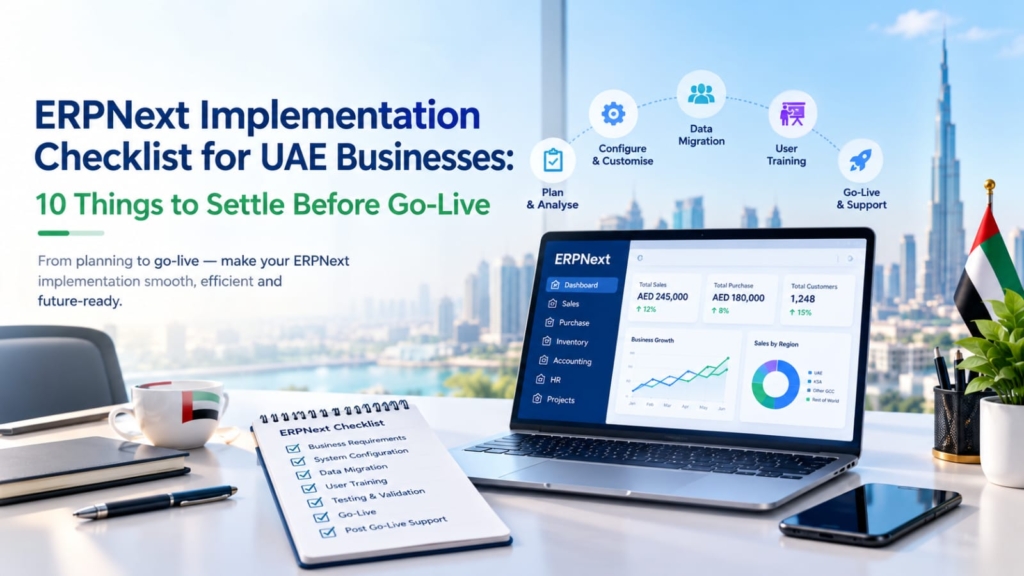
ERPNext Implementation UAE requires proper planning, clear goals, and a structured approach to ensure a successful go-live. There is no ERPNext implementation checklist that will work for a project that begins with unclear goals, but there are some mistakes that most rollouts in UAE avoid, and a checklist will help you steer clear of them. ERPNext is a good open-source ERP, but software is seldom the cause of projects’ failure. Unclean data, unclear ownership, and hasty testing are. This checklist will outline what a UAE business should have in place before they go live, clearly and openly so that you can assess your own readiness and whether you need external support or not.
1. Define what the ERP must fix
List the 3-5 issues you want addressed, for example, stock mismatches, no real time margin visibility, slow month end closing. If you can’t name them, then you’re purchasing software to feel organised. All the items on this ERPNext implementation checklist should be a solution to one of those problems. What doesn’t is a distraction.
2. Assign one internal owner
We all have someone in the company who can make decisions and say no.Everyone has somebody in the company who can say no and make decisions and make decisions and make decisions. This cannot be done by a committee. Consultants set up the system, but are not allowed to determine the process of approvals or whether a discount can be granted without a signoff by the Consultant. If no one on your side has the authority and the time, stop the project until they do.
3. Map your real processes, not your ideal ones
Record the actual current processes of quotations, purchases, deliveries and payments and workarounds. Then determine what to save, repair or discard. If the process is broken, the same process will be copied into ERPNext and will only get faster. Replicating a perfect process that no one does is a process that staff don’t want to do. The first step in a good ERPNext implementation checklist is the truth.
4. Get the UAE Accounting Structure Right During ERPNext Implementation UAE
This is where local knowledge matters. Confirm the following before configuration begins:
- Whether you need one company or several. Mainland and free zone entities usually need separate companies in ERPNext.
- Your chart of accounts, cost centres and financial year.
- VAT setup at 5%, plus zero-rated and exempt categories, with your Tax Registration Number recorded correctly.
- Your base currency (usually AED) and how foreign currency transactions and revaluation will work.
- Whether your Corporate Tax position, including any free zone treatment, affects how you tag transactions.
Do not let a consultant guess these answers. Have your accountant or tax advisor approve the structure in writing. The Federal Tax Authority and Ministry of Finance publish the official rules, and ERPNext only follows whatever you configure.
5. Clean your data before migration
One of the least known steps in any ERPNext checklist is Migration. You’ll bring duplicate customers, inactive suppliers, products with three names and unmatched opening balances along with you into the new system. Determine what should be migrated: typically master data, opening balances, open invoices and open stock. In the case of historical transactions, it is advisable to retain them in the old system where they can be discovered and accessed. When you’re ready to participate in a transaction, make sure you check your opening balances against your trial balance.
6. Keep customisation honest
Customisation is like having control of things, but it comes with a cost to be paid when it comes to upgrading and support. Begin with basic ERPNext workflows, and only customize when a process really varies and does make a difference. Examples of reasonable print formats include Arabic print and English print, tax invoice layouts and approval rules that are applicable to UAE. A custom report is not a duplicate of a standard report. Request your implementation partner to explain each and every customisation in a sentence. If you have a vague justification it’s never a need.
7. Plan payroll and HR carefully
If you are using the HR module, check the functioning of salaries, leave, end of service gratuity and Wage Protection System. The Ministry of Human Resources and Emiratisation is responsible for payroll rules, and errors directly impact employees. In ERPNext, for a lot of enterprises, finance and inventory are the initial modules to be added and payroll is added later. This is logical when you have a small team or when your payroll is complicated, so you can tick it off your ERPNext implementation checklist.
8. Test with real scenarios
A system that is tested with ideal samples doesn’t prove anything. Implement your dirgiest real-life scenarios – such as a partial delivery, returned goods, supplier invoice with mixed VAT, customer credit note, month-end close. These should be run by finance staff and not just the consultant. User acceptance testing should be signed off by a written decision. Without this step, it is more likely that the problems will be found after go-live, at a higher cost. It is a key aspect of any ERPNext implementation checklist.
9. Train for roles, not for the system
Having a bunch of generic skills taught on every screen wastes time that could be used for something valuable. Train the store to how to enter stock, train the accountant how to keep journals and reconcile, train the manager how to do dashboard etc, and how to do approvals. Have each person an individual procedure sheet for tasks that they are involved in. There will be a decrease in productivity for a couple of weeks following the live date. If anybody guarantees that the transition will be painless, they’re lying to you. Add Training on ERPNext implementation checklist along with a date.
10. Decide the go-live and support plan
Select the date that you are least busy (and not at the end of the month or the VAT filing date). Identify the point at which the two systems meet (if any) and when it will occur. Understand who will be accountable for issues in the first 30 days, how quickly these issues will be addressed and how long it will take to ask for changes to be made after that. You should have a member of your team who can support your ERPNext implementation as part of your implementation checklist. Additionally, be sure to know where data is located, who manages backups, and the length of time information is kept. Under UAE tax law, records must be maintained for a certain number of years – please refer to FTA or tax advisor for the number of years that records must be kept for at the present time.
How Long Does It Take?
It depends on number of modules, quality of the data and the speed at which your team makes decisions. A simple trading business can be over with in some few months. Multi-company or highly customised projects take longer, as do manufacturing. Rarely, but always, delays are not technical. They’re the result of sluggish decisions, incomplete data and staff too busy to test. If your team doesn’t have time to dedicate each week, add that to the plan and monitor any delays in ERPNext implementation checklist.
When to bring in a partner
You can implement ERPNext yourself if you have in-house technical skill and a finance lead who knows the system. Most UAE businesses benefit from a partner who understands both the software and local compliance. A partner should review your ERPNext implementation checklist before work starts, and tell you honestly which items you can handle yourself. Accruon’s ERPNext implementation service is led by Chartered Accountants and covers requirement study, configuration, migration, testing and training. If your books need cleaning first, the back office and bookkeeping service is a sensible starting point. You can also read the trading company and construction firm case studies, or browse more on the Accruon blog. The UAE government portal lists official business requirements in one place.

One Response